
An editing model, not another generator
Most design AI launches are about making a picture from a prompt. Brush is aimed at the step after that. It works on existing designs, interpreting their structure and applying supported changes based on user instructions: fixing a line of copy, restyling a multi-page deck or adapting a slide into a social graphic. Canva's own framing of the hard part is restraint. An editing model has to know what you want changed, how the design is structured, and what needs to stay exactly as it is, because a careless edit produces a page full of changes nobody requested.
The mechanism Canva describes is an agent loop rather than a single generation. Brush writes and runs code to adjust design elements, looks at the resulting page, and uses that inspection to decide its next step. The output is not a flattened image. It remains a normal Canva design, with every element still editable by hand, which is the detail that decides whether a tool like this fits real design work or sits outside it as a novelty.
Two numbers, one source
The launch figures need their qualifiers kept attached. Canva says Brush is up to 69% faster on general design-editing tasks and costs up to 46% less per edit task than its previous design agent. Both are maximum improvements reported from Canva's own internal testing, not comparisons against competing products or professional human designers.
The quality claim is similarly qualified: Canva says Brush matched or exceeded its previous setup on most editing tasks. Most is not all. The company has not published an independent evaluation or enough benchmark detail for outsiders to reproduce the comparison.
None of that makes the numbers useless. A specialized model replacing a general-purpose agent inside the same product should be cheaper to run, and Canva says the savings are what let it offer the feature at its scale. But a reader deciding whether Brush is good at editing has, so far, only Canva's word for it.
Canva describes Brush as starting from a leading open-weights model, but does not identify it. That leaves an important part of the technical description undisclosed: readers cannot establish which base model was used or independently assess how much of the resulting capability comes from the starting model versus Canva's post-training.
Canva says Brush started from an unnamed leading open-weights model, then underwent post-training on real design and editing tasks. That process used anonymized insights from users who opted in to help improve Canva AI, alongside large-scale reinforcement learning. Canva's own professional designers defined the reward system, assessing factors including visual quality, adherence to design principles and whether the requested task was completed. The company has not identified the underlying model.
What version one does not have
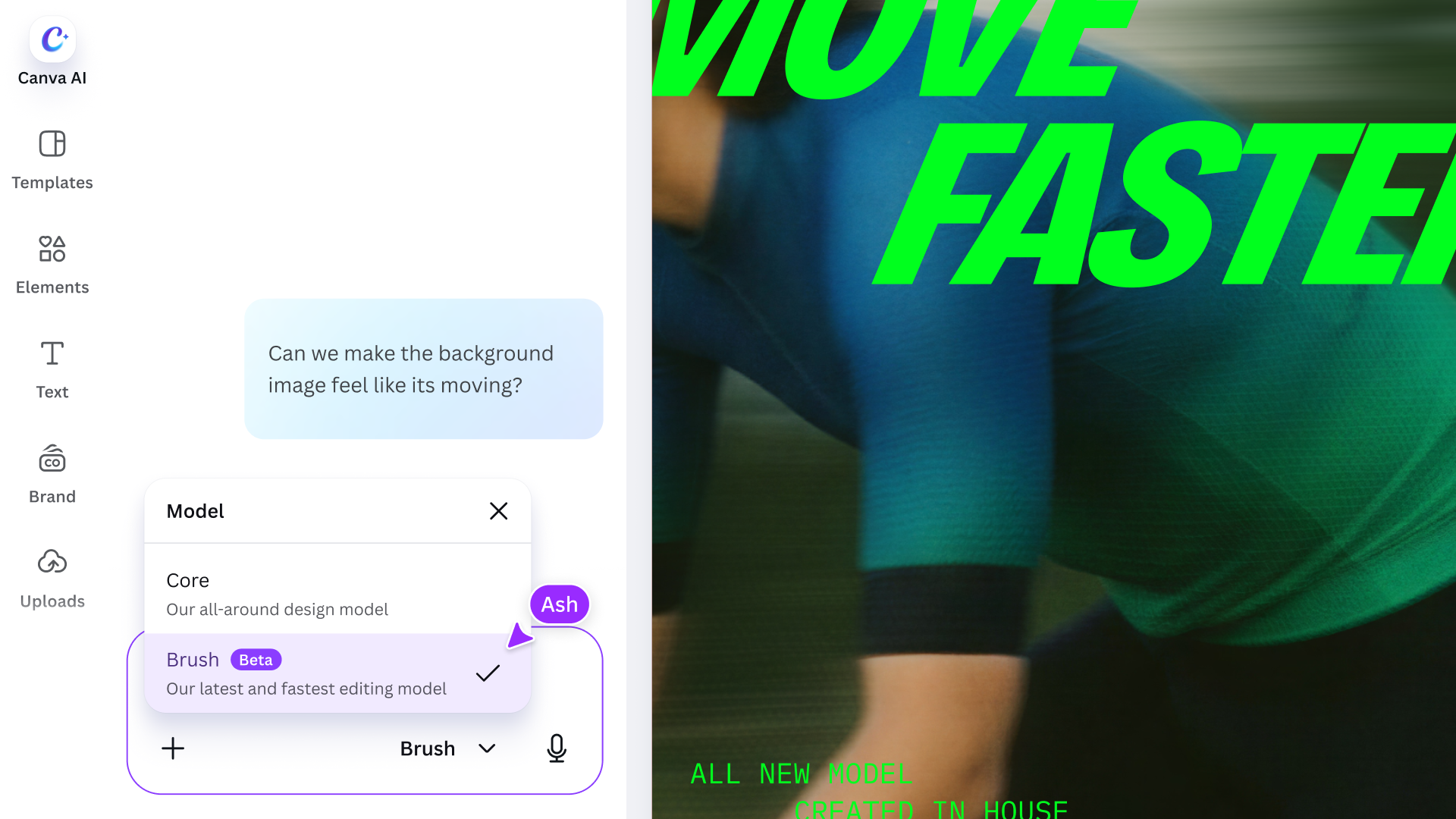
The missing features say as much about the launch audience as the present ones. Brand Kit support is still to come. That matters particularly for teams that rely on centrally managed colors, fonts and brand assets: Brush cannot yet be treated as an integrated way to enforce those rules across edits. Referencing attachments is also still to come, as are improvements for image-heavy layouts.
Availability draws the same line. Brush powers supported design edits, a qualifier that leaves Canva room to define which edits count, and only for Pro subscribers. Wider availability is promised with no date. So the accurate summary of the launch is narrower than the announcement tone: Pro users, some edits, inside Canva AI, selected from a dropdown.
The practical angle
If you already pay for Canva Pro and lose time to repetitive multi-page edits, changing headers across a deck, reformatting one design for another channel, Brush is worth testing on work you can check quickly. Because the output remains editable, users can inspect the changes and manually adjust individual elements rather than being left with a flattened image. That makes it easier to correct unwanted changes, although Canva has not published a guarantee that every edit preserves the original design perfectly.
Judge it on the untouched parts. Ask for one change and count how many things you did not ask for moved. That is the test Canva itself sets in its post, and it is one any Pro user can run in ten minutes without waiting for a benchmark.
Sources
- [1] Canva Newsroom, "Introducing Canva Brush, a vision-language model for design", October 29, 2026 (primary — read first-hand: up to 69% faster for general design editing tasks and 46% lower cost per edit task compared to Canva's previous design agent; in internal testing, quality matched or exceeded the previous setup on most editing tasks; the agentic loop that writes and runs code and inspects the page; everything Brush creates stays fully editable; base model described only as a leading open-weights model, never named; post-training on anonymized insights from users who opted in, combined with large-scale reinforcement learning and a reward system whose definition of good is set by Canva's professional designers; built by Canva Research, its 160-person AI lab; live for Canva Pro subscribers for supported design edits, selected from the dropdown in Canva AI, with wider availability coming soon and no date; Brand Kit support, attachment references and image-heavy layout improvements still to come)Read source
- [2] The Letter Two, "Canva Unveils Brush, an AI Model Built to Edit Designs", October 29, 2026 (secondary — launch coverage; corroborates the announcement, does not independently validate Canva's performance figures)Read source
- [3] Gadgets 360, "Canva's New Vision-Language Model Lets You Edit, Refine Designs Using Prompts With Lower Editing Costs", October 30, 2026 (secondary — launch coverage; not an independent test of the figures)Read source
- [4] Fast Company, "Could Canva's newest AI feature end graphic design slop?", October 2026 (secondary — launch coverage; does not independently validate the figures)Read source