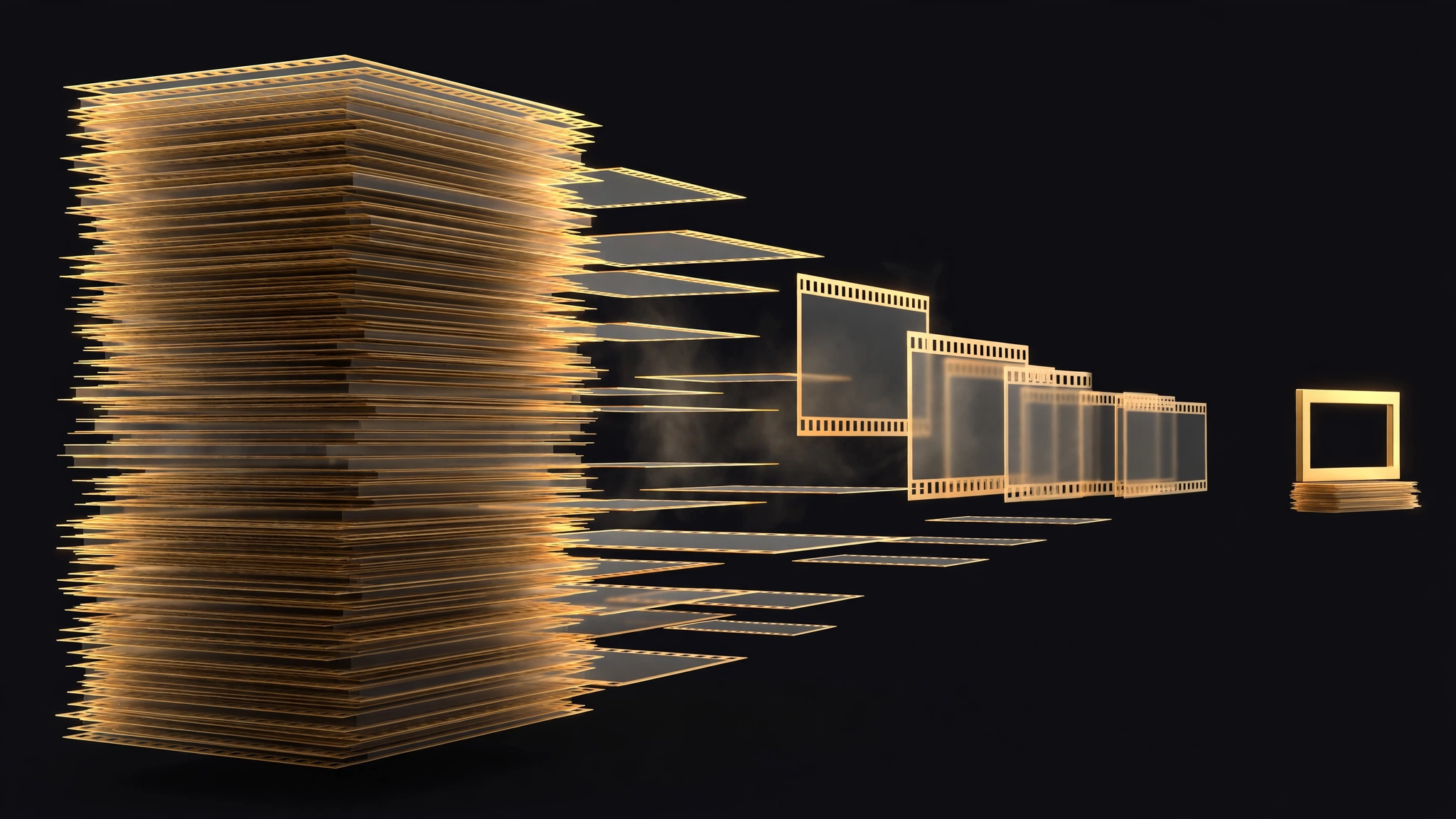
A video model, taken apart and rebuilt as a stills camera
Pruna’s starting argument is that a video model’s training on objects across frames, viewpoints and changing lighting can provide a useful foundation for image generation. The company previously tested this approach with Wan Image, built on Wan 2.1. This time it started from MiniMax-H3 and substantially reworked the architecture.
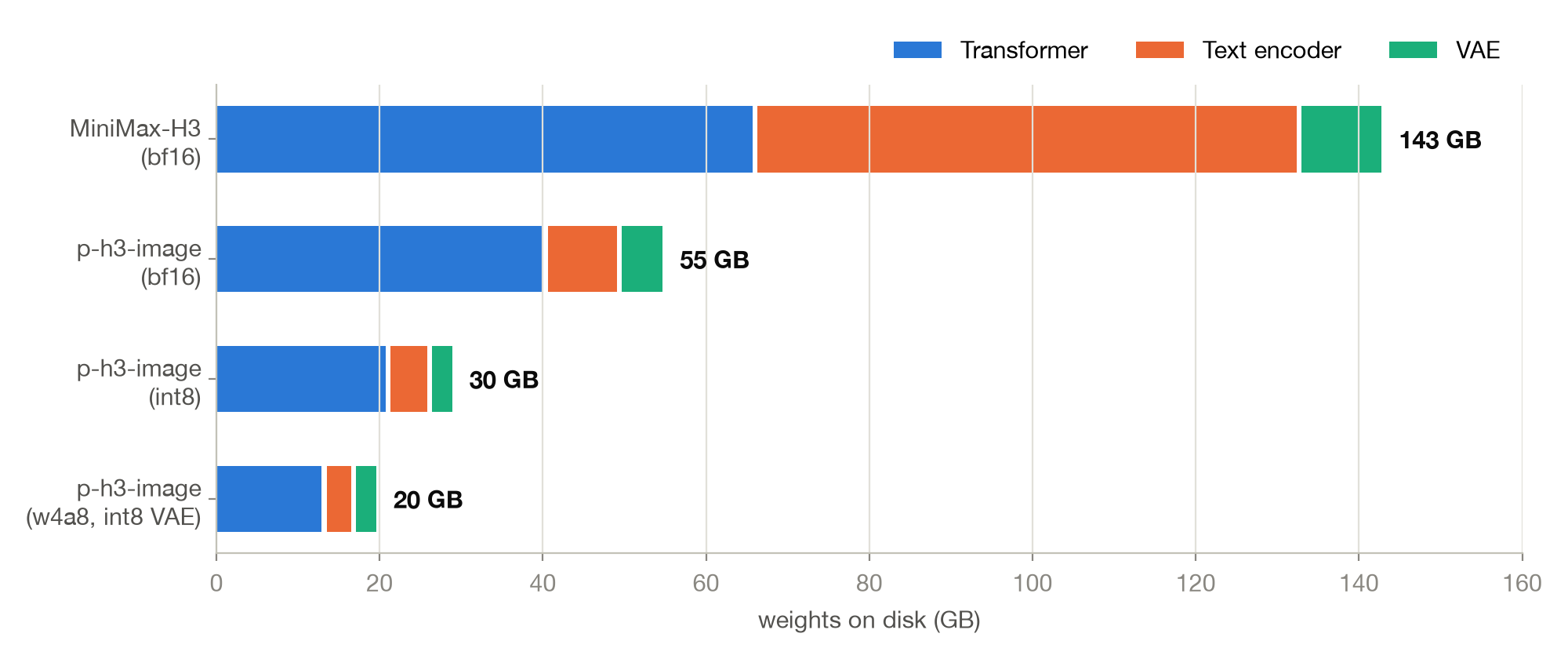
The text encoder, originally 32 billion parameters and 67 GB on its own, was distilled down to 4 billion parameters and 9 GB. The block that processes the timestep, about 40% of H3’s transformer, was swapped for a much smaller equivalent, taking the backbone from 33 billion to 20 billion parameters. Pruna also retrained the decoder for single-frame image output, replacing the original video-oriented decoding path with one designed to produce sharper still images. A prompt upsampler based on Qwen3.5-9B was trained to rewrite short requests into the fuller prompts H3 responds to. And the diffusion schedule was distilled from 50 steps to 8, with no classifier-free guidance and no negative prompt.
The result is a model with a narrower job than its parent. P-H3-Image makes stills. It edits stills, combining up to eight input images into one scene, a skill Pruna traces to H3’s training on reference images for video. It does not make video or sound. Anyone who reads "built on H3" as "H3, but faster" has the wrong product.
Three configurations, three different models in practice
Pruna’s headline combines the best number from each version: 7x smaller, 5x faster, about 21 GB of VRAM. Each number is sourced. They do not describe the same download.
The 20 GB download and the 21 GB VRAM peak are the 4-bit ComfyUI set. Pruna is open that this set "keeps the quality but can change small details and sometimes the composition". The 8-bit set, at 30 GB and 31 GB of VRAM, stays "very close to bf16, often almost pixel for pixel". The full bf16 set is a 55 GB download peaking at 56 GB. The bf16 diffusers pipeline needs about 101 GB of GPU memory at 8 MP with the prompt upsampler enabled, 83 GB without it, or approximately 80 GB when using offloading. The image itself takes roughly 9 seconds, plus 6 to 11 seconds for the upsampler.
The speed headline belongs to that top end. The 2.6-second 4 MP figure was measured in bf16 on a B200, a data center GPU. On a 48 GB L40S, Pruna’s own comparison puts the 4-bit set at 6.3 seconds against 19 seconds for offloaded bf16. Still a real gain, and still Pruna’s own measurement, with no independent run to check it against yet.
None of this makes the release weak. A 4-bit version with a reported peak requirement of about 21 GB VRAM makes the model potentially usable on a single 24 GB GPU, although available memory and additional ComfyUI overhead may make that configuration tight. The quantized files are the version most local users would actually run. It does mean the honest summary is a table, not a slogan: pick your precision first, then read the size and speed that go with it.
The license draws the map
P-H3-Image is open weights under the MiniMax H3 Community License, and that license has a geography. It does not apply in the European Union, the United Kingdom, South Korea or the United States, unless the user has a separate license from MiniMax. Products built on the model must also display "Powered by MiniMax H3". The parts Pruna took from Qwen — sections of the text encoder and the prompt upsampler — are under Apache 2.0, but they do not change the terms on the model as a whole.
So the local-running story splits by address. A reader in the United States cannot treat this as a downloadable model without clearing the license first, however small the 4-bit files are. Canada does not appear among the four excluded jurisdictions listed in the MiniMax H3 Community License. Canadian users therefore are not excluded on geographic grounds under that provision, although they still need to comply with the license’s other conditions. This is a reading of the published license, not legal advice.
Two practical limits sit behind it. At the time of the November 3 release, ComfyUI support was available on the project’s master branch and was expected in the next release. The model card did not yet list support in the desktop application or Comfy Cloud. And the model’s own listed weaknesses are familiar ones: hands and small background figures can distort, dense text turns into pseudo-text, and artifacts become more frequent below 8 MP. Although the blog describes a 2–16 MP rendering range, the model cards recommend 8 MP as the working resolution.
Sources
- [1] Pruna AI, "P-H3-Image: Turning a SOTA Video Model into an Efficient Open Image Model", company blog, November 3, 2026 (read first-hand in full at Gate 1 — the component-by-component rebuild of MiniMax-H3; the 7x smaller / 5x faster headline combining the 4-bit download and VRAM figures with a bf16 B200 speed figure; the speed table (B200 bf16: 4 MP 2.6 s vs 12.4 s, 8 MP 5.8 s vs 30.6 s; L40S 4-bit 6.3 s vs offloaded bf16 19 s); the introduction’s "up to 9 input images" against the body’s 8; the 2–16 MP rendering claim; the license summary)Read source
- [2] PrunaAI/P-H3-Image, Hugging Face model card (read first-hand in full at Gate 1 — 8 steps, no CFG or negative prompt; editing with up to 8 input images; about 101 GB of GPU memory at 8 MP with the prompt upsampler, 83 GB without it and about 80 GB with offloading; the performance table (image about 9 s, upsampler 6 to 11 s more); 8 MP as the working resolution, with artifacts more frequent below it; the limitations list; "single images only"; the MiniMax H3 Community License terms)Read source
- [3] PrunaAI/P-H3-Image-Comfy, Hugging Face model card (read first-hand in full at Gate 1 — the per-precision sets: bf16 55 GB download / 56 GB peak VRAM, int8 30 GB / 31 GB, 4-bit 20 GB / 21 GB at 8 MP; the int8 note "very close to bf16, often almost pixel for pixel" and the 4-bit detail-and-composition note; the 2 GB LoRA for existing MiniMax-H3 users; ComfyUI support on the master branch at the November 3 release, with the desktop app and Comfy Cloud following the next stable release; the weights-on-disk chart used as this article’s mid-article image; the license terms)Read source